



InterCloud9 Predictive Dialer Review: Is Unlimited Calling Right for Your Business?
InterCloud9’s Predictive Dialer is a cloud-based outbound calling platform designed to help sales teams, call centers, lead-generation companies, and individual users work through contact lists more efficiently. One attractive feature (explained in this article) is the free trial.
Its primary appeal is straightforward: the Single Unlimited User plan includes 1–5 lines and unlimited calling, allowing qualifying users to focus on their campaigns without budgeting every conversation by the minute.
That does not automatically make it the right solution for every business.
Predictive dialing is most useful when you have a sufficiently large lead list, a repeatable outbound process, and a team that benefits from more live conversations. If your outreach is highly personalized or you need time to research every prospect before calling, a power dialer or manual workflow may be a better fit.
What is InterCloud9’s Predictive Dialer?
InterCloud9 describes its product as predictive dialer software for call centers, sales teams, and outbound agents. Because the platform is web-based, users do not need to download desktop software or manage a complicated installation.
A predictive dialer automatically places multiple calls and connects an available agent when a live person answers. It is designed to reduce time spent on busy signals, unanswered calls, disconnected numbers, and voicemail outcomes.
The practical result is a more structured way to handle business lead dialing.
Instead of manually selecting and dialing each number, your team can upload contacts, configure a campaign, and begin working through the list from a browser-based interface. InterCloud9 states that users can launch a first predictive campaign within minutes.
That speed is useful for small businesses that do not want a lengthy implementation process.
Plan structure and unlimited calling
InterCloud9’s predictive dialer page lists two single-user plan options. The pricing and promotional terms shown on the website may change, so review the current pricing page before subscribing.
Single Lite User
The Single Lite User plan is listed with:
1–2 lines
20 hours per month
Integrated CRM tools
National Do Not Call list scrubbing
Call recording
Agent monitoring
No contract
No setup fee
Cloud-based access
The site lists promotional first-month pricing for this plan. Treat that offer as temporary rather than assuming it represents the permanent monthly rate.
Single Unlimited User
The Single Unlimited User plan is listed with:
1–5 lines
Unlimited calling
Integrated CRM tools
National Do Not Call list scrubbing
Call recording
Agent monitoring
No contract
No setup fee
Cloud-based access
This is the plan most relevant to business owners who want to work through lead lists without worrying about conventional per-minute calling costs. The key distinction is that the plan is presented as unlimited calling, while the Lite plan is limited to 20 hours per month.
Before committing, confirm the current plan terms, eligible usage, line configuration, and any applicable restrictions directly with InterCloud9.

Getting Started is Simple...
InterCloud9 presents the platform as a fast-launch option for outbound calling. The setup process does not require:
A software download
A setup fee
A long-term contract
A credit card to begin the trial
The company offers a 7-day free trial with no credit card required. That gives you a practical opportunity to evaluate the platform with your own workflow before choosing a paid plan.
Use the trial deliberately.
Test your contact import process. Review the dialing modes. Confirm that your agents understand the interface. Check call quality, reporting, routing, recording, and compliance settings during the hours when your team normally works.
Do not judge a calling platform solely by how quickly you can create an account. Judge it by how well it fits your daily operating process.
Predictive, power, and manual dialing modes
One of InterCloud9’s useful capabilities is the ability to select different dialing modes.
Predictive dialing
Predictive dialing is built for volume. The system places multiple calls and uses campaign and agent-availability information to determine how calls are paced.
This approach can help reduce idle time when your team is handling a substantial lead list. It is generally more appropriate for call centers and larger sales operations where maximizing live conversations is a central objective.
Power dialing
A power dialer provides a more controlled pace. It typically moves through contacts at a set rate, giving agents more preparation time between calls.
Power dialing may be preferable when:
Your lead list is smaller
Each prospect requires research
Calls involve detailed preparation
Your team prioritizes control over maximum volume
You want a more deliberate outreach process
Manual dialing
Manual dialing gives agents the most direct control over which contact they call and when they place the call. It can be appropriate for sensitive, high-value, or highly personalized conversations.
The ability to switch between predictive, power, and manual dialing means you do not have to use the same approach for every campaign.
Match the dialing method to the quality of your data and the type of conversation you want your team to have.

Features that support daily calling operations
InterCloud9 combines dialing, contact management, reporting, and supervision tools in one browser-based system.
Integrated CRM tools
The built-in CRM features allow agents to manage contact information while handling campaigns. Available tools include:
Contact notes
Custom call dispositions
Callback reminders
Email templates
Text message templates
Pre-recorded voicemail options
Customizable database fields
These functions help your team preserve context between conversations. An agent can record what happened on a call, identify the next action, and schedule a callback without relying on separate spreadsheets or disconnected notes.
Call recording and agent supervision
Managers can use call recording and real-time agent tools to maintain visibility across active campaigns. InterCloud9 lists capabilities that include:
Live call monitoring
Call coaching
Barge-in
Taking over an agent call
Campaign access controls
Call reporting
These features may be useful for onboarding new representatives, reviewing conversations, and identifying where agents need additional support.
Use recording responsibly. Inform callers when legally required and establish internal policies for access, storage, and review.
Reporting
InterCloud9’s reporting tools include information such as:
Call counts
Answer dispositions
Call duration
Routing information
This data can help you evaluate campaign activity and understand how your team is using its calling time. Reporting does not replace sound lead qualification or sales management, but it can make operational decisions more visible.

Inbound and outbound routing
Although the Predictive Dialer is designed primarily for outbound campaigns, InterCloud9 also lists inbound call handling and routing capabilities.
Incoming calls can be routed to available agents, while integrated IVR tools can support multi-level call flows. This may help businesses manage responses generated by outbound campaigns or other marketing channels.
Caller ID and local presence
The platform lists verified caller ID, local presence dialing, and CNAM support. These features can help businesses present recognizable caller information during outreach.
Caller ID presentation should be accurate and used responsibly. Local presence is not a substitute for permission-based outreach, clear identification, or respectful calling practices.
API and Zapier integrations
InterCloud9 provides an open API and Zapier integrations for connecting the platform with other business systems. The company also identifies integrations with systems such as Zoho, Salesforce, Zendesk, SugarCRM, and Leadmailbox.
Integration options may help reduce manual data entry and connect calling activity with an existing sales or customer-management workflow. Confirm compatibility and implementation requirements for your specific systems before planning around an integration.
Compliance considerations
A predictive dialer can improve efficiency, but the business using it remains responsible for its outreach practices.
InterCloud9 lists tools that support responsible list management, including:
Internal Do Not Call list management
National Do Not Call list scrubbing
Mobile-prefix scrubbing
Duplicate-record removal
Automated opt-out processes
Area-code restrictions
These tools can support your compliance process, but they do not guarantee that a campaign complies with every applicable law.
Before calling, review TCPA requirements, applicable federal and state rules, consent standards, calling-time restrictions, caller-identification requirements, and opt-out procedures. Obtain qualified legal guidance for your use case when necessary.
Maintain accurate records. Honor requests promptly. Do not assume that having a compliant-looking contact list eliminates your legal responsibilities.

Potential Advantages
Unlimited calling is listed on the Single Unlimited User plan.
The 7-day trial does not require a credit card.
Users can begin without a software download, setup fee, or contract.
Predictive, power, and manual dialing modes provide workflow flexibility.
CRM tools support notes, dispositions, and callback reminders.
Call recording and live monitoring support management and coaching.
DNC scrubbing and opt-out tools support responsible list management.
API and Zapier integrations can connect calling activity to other systems.
Inbound and outbound routing are available within the broader contact solution.
Important considerations
Cloud-based access requires a dependable internet connection.
“Unlimited calling” should be reviewed alongside the current plan terms and policies.
Compliance tools assist with campaign management but do not provide legal protection.
A predictive dialer cannot compensate for inaccurate data, weak messaging, or poor lead quality.
Who is InterCloud9 best suited for?
InterCloud9 may be worth evaluating if you are:
A small business with a consistent outbound lead list
A sales team that needs more structured calling workflows
A call center managing multiple agents
An appointment-setting operation
A lead-generation company
A collections or customer-follow-up team
A business exploring outbound calling software and process automation
You may prefer a power dialer or manual approach if your team makes fewer calls, requires extensive research before each conversation, or relies on a highly consultative sales process.
The best choice depends less on the product label and more on your campaign design.
Final verdict
InterCloud9’s Predictive Dialer presents a practical option for businesses that want cloud-based predictive dialer software, flexible dialing modes, integrated CRM tools, and an unlimited calling plan.
The strongest case for the platform is operational simplicity. You can create an account, begin a 7-day trial without a credit card, and launch a campaign without downloading software or paying a setup fee. The Single Unlimited User plan is especially relevant if your team wants to work through lead lists without tracking every call as a separate per-minute expense.
It is not the right fit for every sales process.
Start with the free trial. Test your actual lists, calling hours, routing needs, reporting requirements, and compliance workflow. Compare predictive dialing with power and manual modes. Then decide based on how the platform performs for your business: not on the promise of higher activity alone.
Review InterCloud9’s Predictive Dialer or start the free trial when you are ready to evaluate it.
Additional InterCloud9 Products
If you want to evaluate the broader InterCloud9 product lineup alongside the Predictive Dialer, the company also lists tools such as Simple Messaging Solution, A2P Text Messaging, Ringless Voicemail Messaging, IVR Voice Messaging, AI Voice Agent, and additional Predictive/Power Dialer options where relevant.
This wider product set may be useful if you are comparing outbound calling with text messaging, voicemail drops, voice automation, or multi-channel contact workflows. Review the available options based on your use case, compliance requirements, and operational needs.
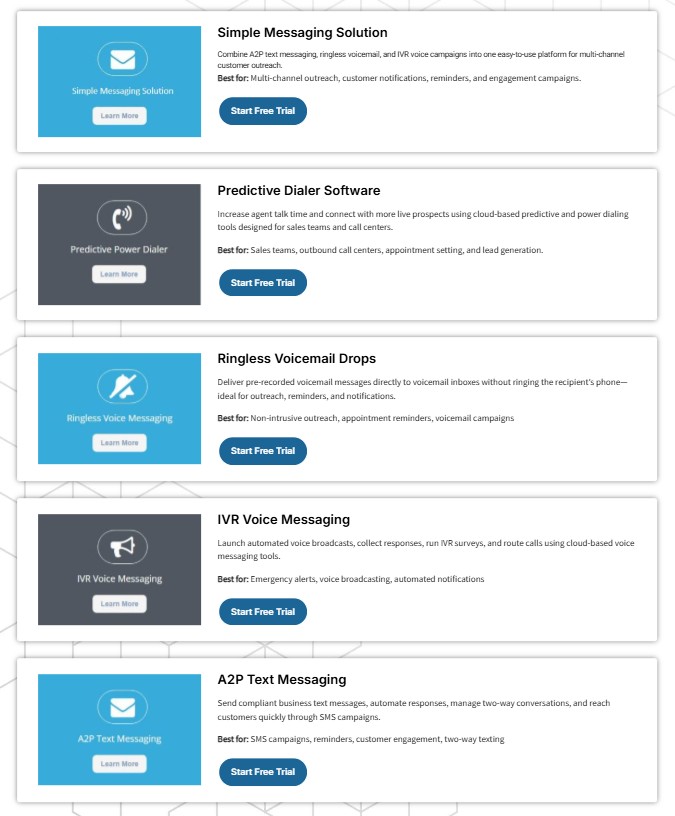
Review additional InterCloud9 products.
Melodic Montage Studios LLC publishes reviews to help business owners assess digital tools for marketing, customer engagement, and business process automation. Learn more about our work through our media and creative services.
Frequently Asked Questions
Does InterCloud9 offer unlimited calling?
The InterCloud9 Predictive Dialer page lists unlimited calling with the Single Unlimited User plan, which includes 1–5 lines. Confirm current plan terms before subscribing.
Does InterCloud9 provide the leads to add to the dialer?
No. InterCloud9 does not supply leads. The system allows uploading leads in the form of spreadsheets (CSV, etc.) If you need leads, visit this post to learn about one of our favorite sources for business leads.
Is a credit card required for the free trial?
InterCloud9 lists a 7-day free trial with no credit card required.
Does InterCloud9 require a contract or setup fee?
The product page states that there are no contracts and no setup fees.
Is InterCloud9 downloadable software?
No. InterCloud9 describes the Predictive Dialer as cloud-based and 100% web-based, with no software download required.
What is the difference between predictive and power dialing?
Predictive dialing automatically adjusts call pacing based on campaign conditions and agent availability. Power dialing uses a more controlled or fixed pace. Predictive dialing generally suits higher-volume campaigns, while power dialing may be better for targeted outreach.
Does InterCloud9 include CRM capabilities?
Yes. Listed CRM tools include contact notes, call dispositions, callback reminders, templates, and customizable database fields.
Can InterCloud9 help with TCPA compliance?
InterCloud9 lists compliance-supporting tools such as DNC list management, National DNC scrubbing, opt-out processes, mobile-prefix scrubbing, duplicate filtering, and area-code restrictions. Businesses remain responsible for complying with applicable laws.

Affiliate disclosure: Melodic Montage Studios LLC may earn a commission if you sign up for InterCloud9 through an approved affiliate link. That possibility does not change how we evaluate the platform, its features, or its potential limitations.

Facebook
LinkedIn